
Mission One – Explore the Ocean Before Making Your First Move
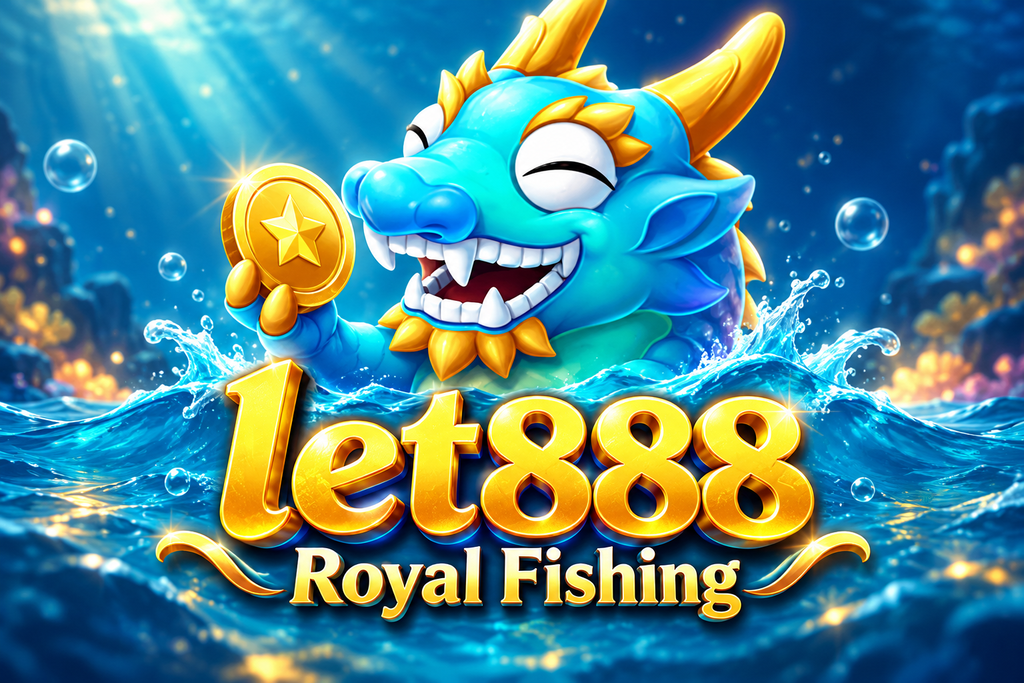
Imagine entering an underwater world where sunlight filters through clear blue water, bubbles rise toward the surface, and a cheerful dragon appears between rolling waves.
The let888 Royal Fishing artwork captures that atmosphere with a bright turquoise creature holding a golden coin. Its oversized horns, playful expression, and sparkling surroundings make it look more like a friendly adventure companion than a threatening sea monster.
There is an important difference, however, between exploring a game’s visual world and understanding how its controls work.
Before interacting with Royal Fishing, take a moment to identify the main areas of the actual game screen.
Look for the following:
- The central area where gameplay takes place
- Available controls and their labels
- Information explaining how the game works
- Settings for sound, display, or other supported preferences
The goal is to understand the environment before making decisions.
An underwater scene may contain colorful creatures, decorative objects, and animated effects. Not everything that moves or shines necessarily serves the same purpose.
Treat the first few moments as exploration time. Familiarity with the interface makes the rest of the experience easier to follow.
Mission Two – Learn the Language of Underwater Movement
Water changes how motion feels.
Creatures may appear to glide, drift, turn, or disappear behind other visual elements. Animated bubbles and waves can make the environment feel constantly active, even when the player’s attention should remain elsewhere.
For fishing-themed arcade games, distinguishing meaningful movement from background animation is an important viewing skill.
A useful approach is to separate the screen into three visual zones.
The Foreground
This is the area closest to the viewer.
Large objects, prominent effects, and interface elements can dominate this space.
When something unusual happens, check whether it belongs to the interactive game area or is simply a foreground animation.
The Middle Distance
The middle of the screen often contains the most recognizable characters or objects.
If the game includes moving targets or interactive sea creatures, this is where players may need to follow their positions.
Rather than following every movement simultaneously, concentrate on understanding the available controls and the objects they affect.
The Background
Underwater scenery creates atmosphere.
Coral formations, distant rocks, rays of light, and floating particles can make a digital ocean feel alive.
These elements may be visually attractive without having any direct gameplay function.
Recognizing the distinction helps prevent unnecessary confusion when the screen becomes busy.
Mission Three – Discover What Makes the Blue Dragon Memorable
The blue dragon is the strongest character in the let888 Royal Fishing illustration.
Its design relies on several carefully balanced details.
The oversized golden horns make its silhouette recognizable. Bright turquoise skin separates the character from the darker ocean, while large eyes and an exaggerated smile create a playful personality.
Even its sharp teeth appear humorous rather than frightening.
This combination gives the mascot an approachable identity.
A Character That Communicates Emotion
The dragon looks excited, curious, and confident.
Its expression immediately establishes the lighthearted mood of the artwork.
A player does not need a lengthy explanation to understand the personality the illustration is trying to communicate.
A Color Palette That Creates Contrast
Blue and gold work particularly well together in an underwater setting.
Blue reinforces the ocean environment, while gold attracts attention to the dragon’s horns, accessories, and coin.
The combination also helps the central character remain visible against the background.
A Recognizable Silhouette
Strong character design should remain recognizable even when viewed at a smaller size.
The dragon’s long horns, rounded snout, and distinctive face help establish that identity.
These are storytelling details rather than explanations of game mechanics. The coin held by the character, for example, should not be interpreted as a promise of a particular gameplay result.
Mission Four – Keep Your Attention on the Right Objects
An ocean-themed game can become visually crowded when several animations appear at once.
The challenge is deciding which information deserves attention.
Start by identifying the objects that the game’s instructions describe as interactive.
Then distinguish them from decorative elements such as bubbles, background lighting, and environmental effects.
If multiple objects move simultaneously, avoid assuming that the brightest or largest one is automatically the most important.
Instead, use the game rules to determine what matters.
Avoid Reacting to Every Flash
Sudden bursts of light are designed to attract attention.
They may communicate an event, but their meaning depends on the actual game.
Read the interface rather than making assumptions based solely on visual intensity.
Follow One Action at a Time
When learning unfamiliar controls, take your time.
Perform one action, observe how the interface responds, and make sure you understand what happened before proceeding.
This approach is useful in many arcade-style games because it reduces accidental inputs.
Watch for Clear Feedback
An understandable interface should help players recognize whether an interaction has been accepted.
Look for changes in controls, labels, or other documented indicators.
If the response is unclear, consult the available instructions instead of repeatedly pressing the same button.
The Captain’s Log – A More Organized Way to Explore Royal Fishing
A captain’s log is a simple record of an expedition.
For let888 Royal Fishing, the same idea can turn a casual gaming session into a more organized experience.
It does not require detailed statistics or complicated calculations.
A few short observations are enough.
| Expedition Stage | What to Observe | What to Record |
|---|---|---|
| Arrival | Main screen and controls | Anything unfamiliar |
| Exploration | Movement and visual effects | Features you understand |
| Adjustment | Available settings | Changes that improve comfort |
| Departure | Overall experience | Questions for the next session |
The value of this method comes from recording information that can actually be checked.
For example, writing “the background music was too loud” gives you a practical adjustment to make.
Writing “the blue dragon appeared before a favorable result” does not establish a dependable pattern.
A useful captain’s log focuses on interface familiarity, comfort, and understanding rather than imagined predictions.
After several sessions, you may notice which display settings suit you best and which instructions deserve another look.
Mission Five – Create a Comfortable Ocean Adventure Setup
The ocean environment in Royal Fishing relies heavily on bright blues, reflective highlights, and animated details.
Those visual qualities can look different depending on the device and viewing conditions.
For a more comfortable experience, begin with the screen itself.
Adjust the Lighting
A bright display may help reveal underwater details in daylight, but the same setting can feel uncomfortable in a dark room.
Choose a brightness level that keeps text readable without making the light effects overwhelming.
Check the Sound
Underwater-themed games often use audio to create atmosphere.
If the available version includes sound controls, try different levels to find a comfortable balance between background music and interface feedback.
Sound should support the experience without making it difficult to concentrate.
Choose a Suitable Screen Size
A larger display provides more space for viewing small details.
A phone offers convenience, but controls and labels may feel more compact.
When using a smaller screen, check that important buttons remain easy to identify and select.
Maintain a Stable Connection
For games that require an internet connection, interruptions can affect the experience.
Before starting, check that the network is functioning normally.
If a screen stops responding, avoid repeated inputs while you determine whether the problem is temporary.
Three Common Mistakes During an Underwater Adventure
Confusing Artwork With Actual Gameplay
Promotional images communicate the game’s theme, not necessarily every feature available inside it.
The dragon, golden coin, and ocean scenery in the Royal Fishing banner establish an adventurous atmosphere.
They do not independently explain the rules.
Always distinguish promotional artwork from information shown in the game itself.
Assuming Visual Patterns Predict Results
Repeated colors, movements, or character appearances can feel meaningful.
However, a visual sequence should not be treated as a reliable indicator of future results unless the game’s documented mechanics establish that relationship.
Understanding what the interface actually communicates is more useful than guessing from decorative effects.
Ignoring Unfamiliar Controls
A small button can be easy to overlook when the screen contains elaborate animations.
Before interacting with an unfamiliar control, check its label or help description.
This simple habit reduces confusion and makes the interface more approachable.
Turning Royal Fishing Into a Personal Ocean Adventure
One enjoyable way to experience a themed game is to pay attention to the atmosphere as well as the controls.
The dragon mascot provides a recognizable starting point.
Imagine it as a fictional guide through different parts of an underwater expedition.
You might divide your exploration into three stages.
The Coastal Stage
Concentrate on learning the basic interface. Identify the primary controls and understand the available instructions.
The Open-Water Stage
Observe how the scene changes during normal gameplay. Pay attention to movement, visual feedback, and the distinction between background effects and interactive elements.
The Deep-Sea Stage
Explore available settings and identify which adjustments make the experience more comfortable.
These stages are a personal exploration framework, not official Royal Fishing levels or modes.
They provide a playful way to become familiar with the game’s presentation without inventing features that may not exist.
The ocean theme makes the process more memorable, while the practical steps help players understand the interface.
Frequently Asked Questions About LET888 Royal Fishing
What type of visual theme does Royal Fishing use?
Royal Fishing features an underwater adventure theme. The supplied artwork emphasizes a cheerful blue dragon, ocean waves, bubbles, and gold accents.
Is the blue dragon an interactive character?
The dragon is prominently featured in the promotional image. Whether it has a particular gameplay function depends on the actual version and its documented rules.
How can beginners become familiar with Royal Fishing?
Begin by reading the available game instructions. Identify the controls, understand the interface, and observe how the screen responds to ordinary interactions.
Can Royal Fishing be played on a mobile device?
Availability and compatibility depend on the version offered. Check the supported device requirements and whether the interface displays correctly on your phone.
Do glowing coins indicate a guaranteed result?
No. Decorative coins and lighting effects should not be interpreted as guarantees. Their meaning, if any, must be established by the game’s rules.
What makes the Royal Fishing artwork distinctive?
Its smiling turquoise dragon, golden horns, vivid blue ocean, and strong gold typography create a recognizable visual identity. These elements give the illustration a playful, adventurous character.